PC speakers are easy to underestimate. Many people accept thin laptop audio or a cheap plastic soundbar because desktop listening feels like a utility, not a real hi-fi setup. That is a mistake. A decent pair can give you clearer vocals, tighter bass, and enough headroom for a movie without turning your desk into a recording studio. After twelve years mixing records in Nashville rooms, I look for the same basics in PC speakers that I look for in monitors: an honest tonal balance, low distortion, sensible controls, and placement that works in the real world.
Start With Your Desk, Not the Marketing
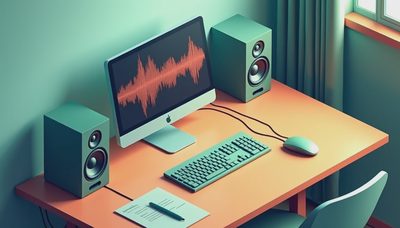
Before shopping, measure the space between your monitor, keyboard, and side walls. Compact PC speakers such as the Creative Pebble Pro or Edifier MR4 make sense when the speakers must sit close to a display. Larger models can sound better, but a six-inch cabinet squeezed behind a monitor will not perform like it does on an open stand.
Power ratings also deserve skepticism. A brand advertising 120 watts is not necessarily louder or cleaner than a modest 30-watt system. Manufacturers may quote peak output rather than continuous power, and peak numbers often describe a brief burst before distortion becomes obvious. Look for independent measurements when possible, especially frequency response and distortion. A response that is reasonably smooth from the midrange through the treble usually beats a dramatic bass hump designed to impress for thirty seconds.
Placement costs nothing and often delivers the biggest improvement. Put the tweeters roughly at ear level, angle the speakers toward your head, and keep the left and right distances similar. If the rear port is close to a wall, move the cabinet forward or reduce the bass control. Trust your ears. But measure first.

Active or Passive PC Speakers?
Most desktop buyers should start with active PC speakers. Active speakers have amplifiers built into the cabinets, so you connect them directly to a computer, monitor, phone, or USB interface. The Edifier MR4, Kanto YU2, and Audioengine A2+ are examples of this convenient approach, although they serve different budgets and listening habits.
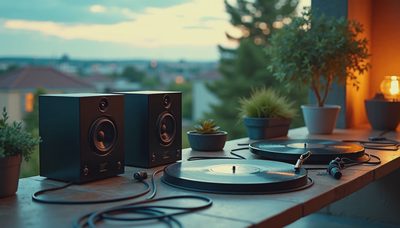
Passive speakers require a separate amplifier. That route can be rewarding if you already own a small integrated amp or enjoy building a system piece by piece. A pair of Micca MB42X speakers with an inexpensive desktop amplifier can produce good value, but the extra box, cables, and volume control take up space. Passive systems also make sense for someone who plans to add a turntable, television, or network streamer later.
USB input is useful because it bypasses the computer's often mediocre headphone output. It is not magic, though. A clean analog connection from a competent motherboard or monitor can sound perfectly fine. Bluetooth is convenient for a phone, but wired playback remains the safer choice for gaming and critical music listening because latency and compression can vary.
What Different Budgets Actually Buy
Below about $60, PC speakers are usually about convenience rather than refinement. The Creative Pebble V3 is a sensible example for a small workspace. It will not produce deep bass or a wide stereo image, but it can be a clear improvement over a laptop and includes straightforward connectivity.
Around $100 to $200, the choices become more interesting. The Edifier MR4 is popular because its design is aimed at nearfield listening rather than exaggerated multimedia sound. It has limitations, including modest low-bass extension and a basic feature set, but its balanced presentation makes vocals and acoustic instruments easier to judge. The PreSonus Eris 3.5 is another practical option, particularly when you want front-panel controls and a compact footprint.
At $250 and above, you are paying for better drivers, cabinet construction, connectivity, or all three. Audioengine A2+ models are attractive and convenient, while Kanto YU4 adds more input flexibility and stronger low-end capability. None of these automatically replaces a larger bookshelf system. Price buys potential; placement and room interaction determine whether you hear it.

Bass, Subwoofers, and the Small-Room Problem
Small PC speakers often sound clean because they do not attempt to reproduce bass they cannot handle. If the kick drum sounds like a cardboard tap, adding a subwoofer can help, but only if you have room and a sensible crossover. A subwoofer placed under a desk may excite one room mode and produce a single-note boom rather than musical low end.
For most desks, begin with the main speakers positioned correctly and the bass control at its center mark. Play familiar tracks with bass guitar, kick drum, and male vocals. If the bass is thick enough to mask the vocal, reduce it before buying anything. If the system remains thin at moderate volume, a compact subwoofer with adjustable crossover can fill in the bottom octave more successfully than simply turning up a bass knob.
Remember that volume changes perception. Louder often sounds better for a few seconds, even when distortion has increased. Match levels when comparing PC speakers. That simple discipline prevents a flashy, boosted model from winning just because it is louder.
Music, Gaming, and Movies Need Different Tradeoffs
For music, I favor a smooth midrange and controlled treble. The midrange contains the human voice, snare, guitar, piano, and much of a mix's emotional information. An overly bright speaker can sound detailed at first, then become tiring during a full album. In plain English, bright means elevated treble. It does not mean more accurate.
Gaming benefits from clear imaging, which is the ability to distinguish where sounds sit from left to right. A well-placed stereo pair can make footsteps and environmental details easier to locate than a cheap single soundbar. Virtual surround modes can be fun, but they often alter frequency balance and add processing. Test them with a game you know rather than trusting a label on the box.
Movies need dialogue clarity and enough dynamic range for quiet conversation followed by a loud action scene. PC speakers with a dedicated volume knob are especially useful when you sit close to the screen. A remote is convenient, but it should not outweigh poor tonal balance or audible hiss.
A Simple Buying and Setup Checklist
Choose the largest cabinet your desk can comfortably accommodate, but do not buy based on wattage alone. Confirm whether the system is active or passive, then identify every input you need: 3.5mm, RCA, USB, optical, or Bluetooth. Check whether the volume control is on the front or rear. Rear-mounted controls are annoying when you adjust them every day.
After connecting the speakers, play a familiar recording and listen at a normal working level. Check for hiss during quiet passages, rattling on bass notes, and harshness in cymbals or sibilant vocals. Move each cabinet a few inches forward, then angle it toward your ears. Those small changes can sharpen the center image more than an expensive cable ever will.
If you are comparing PC speakers through an affiliate link, remember that a commission may support this blog without changing your price. I still recommend measuring performance and reporting flaws when a review unit falls short. The goal is not to crown a winner in every category; it is to help you spend once on a system you will enjoy for years.
For most people, the best choice is a balanced active pair sized for the desk, followed by better placement before any other upgrade. Spend around $100 to $200 if you want a meaningful step up from built-in audio, and look higher only when you need stronger bass, more inputs, or greater volume. Trust your ears. But measure first.


No notes yet — write the first one.