The best computer speakers do not need glowing LED strips, a giant subwoofer, or a price tag that resembles a studio monitor. They need clean midrange, controlled bass, useful connections, and enough output for your desk. After 12 years mixing records in Nashville rooms, I listen for the same things here that I listen for in a vocal monitor: tonal balance, distortion, and whether the speaker makes music easier to enjoy rather than more tiring.
My short answer is simple. Creative Pebble Pro speakers are a strong inexpensive choice for small desks, the Audioengine A2+ remains a polished compact option, and the Edifier R1280DB is difficult to beat when you want fuller sound and more inputs for roughly $150. The right pick depends on your room, listening distance, and whether you need Bluetooth, USB, a subwoofer output, or just an easy analog connection.
What separates the best computer speakers from ordinary ones
A speaker can sound impressive for five minutes by exaggerating bass and treble. That is not the same as sounding good for a two-hour work session. The best computer speakers keep voices centered, cymbals clear without becoming sharp, and bass present without turning kick drums into a soft thump.
Frequency response is the first measurement I care about. A fairly even response means a snare drum, acoustic guitar, and spoken voice arrive with more natural proportion. Distortion matters too, especially when a small speaker is pushed loudly. If the cabinet rattles or the woofer struggles, increasing the volume only makes the problem obvious.
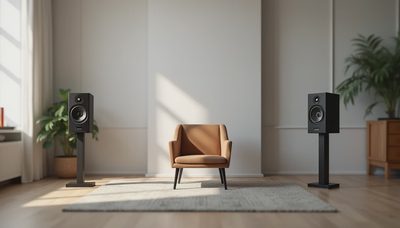
Placement is free performance. Put the left and right speakers at equal distances from your head, aim their tweeters toward your ears, and raise them so the drivers are close to ear height. Leave a few inches behind rear-ported models. Moving a pair six inches forward can improve bass clarity more than buying an expensive cable ever will.
Best computer speakers by budget and desk size
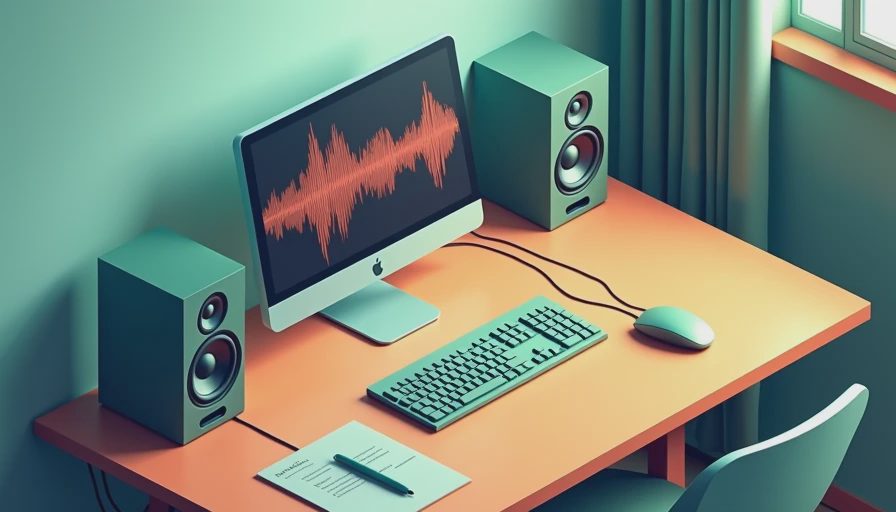
For a tight budget, the Creative Pebble Pro is a sensible starting point. Its small footprint suits a laptop desk, and USB-C power keeps the setup uncomplicated. It will not produce room-shaking bass, but it is clearer and more enjoyable than most built-in laptop speakers. Expect to spend around $50 to $60, depending on sales.
The Edifier R1280DB is one of the best computer speakers for a typical home office. Its powered bookshelf-style cabinets offer a warmer, larger presentation than tiny desktop satellites, plus Bluetooth, optical input, and a remote. Around $130 to $160, it works for music, television audio, and casual gaming. The bass is generous, so a wall behind the speakers can make it sound thicker than intended.
Audioengine A2+ speakers cost more, commonly around $250 to $300, but they make sense when desk space is limited and finish quality matters. USB and Bluetooth are convenient, and the compact enclosures deliver a surprisingly capable midrange. They are not a substitute for a separate subwoofer in a large room, but they are easy to live with near a monitor.
Best computer speakers for music listening
Music exposes weak speakers quickly. On a busy rock mix, listen for whether the vocal stays intelligible when guitars and cymbals get loud. On a jazz recording, listen to the shape of the bass and the attack of the ride cymbal. A good pair does not need to sound spectacular; it should let you follow the arrangement without constantly noticing the equipment.
For music, I generally prefer the Edifier R1280DB over gaming-focused systems with a boomy subwoofer. Its slightly warm balance is forgiving with rough recordings, while its midrange remains present enough for voices and guitars. If you want a more neutral presentation and can spend more, the Kanto YU2 is a compact powered option worth auditioning, though its small cabinet has physical limits at the lowest bass notes.
The best computer speakers for a vinyl setup or desktop DAC should also avoid unnecessary noise. Turn the volume knob down on the computer and use the speaker’s own control or a clean external volume device. If you hear hiss from your listening position, test the speakers with another source before blaming the computer. Grounding and cable routing can cause more trouble than the speaker itself.
Best computer speakers for gaming and movies
Gaming benefits from imaging, which means hearing a sound move between left and right with believable placement. You do not need exaggerated surround processing to tell where footsteps or vehicles are coming from. A matched stereo pair placed correctly often beats cheap satellites scattered around a desk.
The Logitech G560 is aimed at players who want strong output and lighting, not a neutral studio balance. It can make explosions entertaining, but its presentation is less disciplined for acoustic music. The Razer Nommo V2 Pro takes a more ambitious route with a wireless subwoofer and separate desktop units, yet its price pushes it into a category where a compact soundbar or entry-level studio monitors deserves comparison.
For films, a subwoofer helps with low effects, but it can annoy anyone in the next room. If you add one, start with the crossover and level low, then increase gradually. Many people set bass too high because the first impression feels exciting; after an hour, that same emphasis can become fatigue.
Connections, controls, and compatibility
USB is useful because it can bypass a noisy headphone jack and provide a direct digital path from a computer. Optical input is helpful for a television or game console. Bluetooth is convenient for a phone, but it can introduce compression and occasional latency, so wired input remains preferable for video editing and competitive gaming.
Check the controls before buying. A front-mounted volume knob is easier than a remote that disappears under a stack of mail. A headphone jack can be valuable at night, although implementation varies: some speakers mute the drivers cleanly, while others produce a noticeable pop. A subwoofer output gives you an upgrade path, but it is not essential for a small desk.
Compatibility is rarely complicated, but powered speakers still need an electrical outlet. Passive bookshelf speakers require a separate amplifier, which changes the budget. That distinction catches buyers who assume every pair of cabinet speakers connects directly to a laptop. Read the rear-panel specifications before ordering.
How to choose without wasting money
Start by measuring the available width and your listening distance. If your ears are less than three feet away, compact speakers can work extremely well. If you sit farther back or want to fill a room, larger cabinets usually provide more effortless volume. Do not buy the biggest system simply because its specifications list more watts; amplifier power does not guarantee better tuning.
Next, decide what you actually use. Choose the Pebble Pro for a compact, inexpensive workstation, the R1280DB for broad everyday usefulness, and the A2+ for a refined small-desk system. Look at Kanto, JBL, and Mackie when you want to explore powered-monitor alternatives, but remember that studio monitors often omit remote controls and consumer-friendly Bluetooth.
Read return policies and test familiar recordings at moderate volume. Use one vocal track, one bass-heavy track, and a quiet acoustic recording. Listen for harsh treble, muddy low mids, and cabinet buzz. The best computer speakers should sound balanced on all three, not merely thrilling on one.
Final recommendation
For most people, I would start with the Edifier R1280DB because it offers the most useful blend of price, connections, cabinet volume, and musicality. Small-desk buyers should look at Creative, while listeners who value compact design and finish can justify Audioengine. Spend the money on better placement before accessories, premium cables, or decorative upgrades.
I sometimes receive review units, and links on this blog can earn a commission at no extra cost to you. That does not change the measurements or the recommendation; a product that sounds wrong still gets called wrong. Trust your ears. But measure first.
No notes yet — write the first one.