Computer speakers are one of the easiest upgrades for a desk, yet shoppers often get buried under exaggerated wattage claims and glowing reviews that never mention measurements. After 12 years mixing records in Nashville studios, I listen for the things that actually matter: balanced frequency response, low distortion, useful connectivity, and sensible placement. You do not need a $5,000 system to hear a meaningful improvement over laptop audio.
The right pair should make voices clear, bass controlled, and cymbals detailed without turning every recording into a sharp, tiring mess. Whether you need background music while working, better dialogue for streaming, or a compact nearfield setup for serious listening, the basics stay the same. Trust your ears. But measure first.
What to look for before buying
Start with the speaker type. A 2.0 system has two powered speakers and no separate subwoofer. It is usually the cleanest choice for a desk because it takes less space and avoids the boomy bass that small rooms can create. A 2.1 system adds a subwoofer, which can be useful for movies, electronic music, and gaming, but only when the crossover is well designed. A cheap subwoofer often produces one-note thumps instead of musical low end.
Power ratings deserve skepticism. “100 watts” can describe peak output rather than continuous power, and manufacturers do not always use comparable testing conditions. For a desktop, a clean 20 to 50 watts per channel is plenty for nearfield listening. Sensitivity, cabinet size, amplifier quality, and distortion tell you more than a large number on the box.
Connectivity matters too. Analog RCA or 3.5mm inputs work with nearly any computer. USB audio can bypass a noisy computer headphone jack, while Bluetooth is convenient for a phone but can introduce compression and occasional latency. If you switch between a laptop, turntable with a phono preamp, and television, two inputs are far more useful than another decorative lighting mode.
Best computer speakers by listening priority
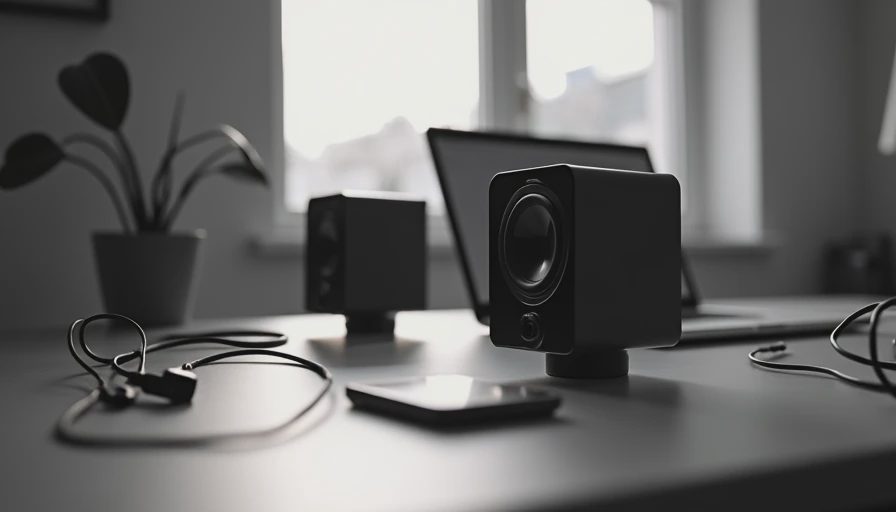
For a simple desktop upgrade, the Audioengine A2+ remains an attractive small option. Its compact cabinets fit beside a monitor, and USB, analog, and Bluetooth connections make it flexible. It will not produce room-shaking bass, and asking it to do so with a cheap subwoofer is not automatically an improvement. At moderate listening levels, though, it delivers a pleasant, focused presentation for vocals, podcasts, and acoustic music.
The Kanto YU2 is another compact choice with a lively presentation and a small footprint. It suits a desk where every inch matters. Its limitations are predictable: limited low bass and less headroom than a larger cabinet. That is not a defect so much as physics. If you want more authority without immediately adding a subwoofer, move up to the Kanto YU4 or a similarly sized powered monitor.
For computer speakers that lean toward a studio-monitor approach, the JBL 305P MkII deserves attention. It is larger, more revealing, and designed around a powered monitor format rather than lifestyle styling. The rear-panel controls help compensate for a bright desk or a wall nearby. You will need cables, a volume controller or audio interface, and enough space for proper placement, but the payoff is a more honest tonal balance.
The Audioengine A5+ Wireless and Vanatoo Transparent Zero are sensible middle-ground options when you want fuller sound without building a receiver-based system. They offer more cabinet volume and bass capability than tiny desktop models. The Vanatoo is particularly appealing to listeners who care about neutral response and digital inputs. Neither product turns a poor recording into a great one; good computer speakers reveal both the strengths and flaws in your library.
Placement changes more than an expensive cable
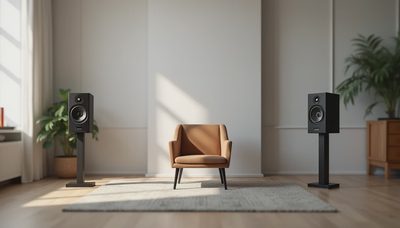
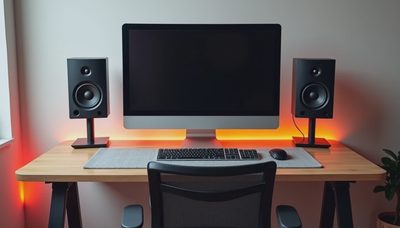
Put the left and right speakers at equal distance from your head, forming a rough triangle. Aim the tweeters toward your ears and raise them so the tweeter is near ear level. If the speakers sit directly on a hard desk, reflections can exaggerate the upper midrange and make voices sound edgy. Foam isolation pads or sturdy angled stands can reduce that effect for far less money than an audiophile power cord.
Leave a little space behind rear-ported speakers when possible. A wall can reinforce bass, sometimes helpfully and sometimes disastrously. If kick drums become a single sustained boom, pull the speakers forward, lower the bass control, or move the subwoofer. Do not solve every placement problem by turning up treble; that usually produces fatigue instead of clarity.
Your listening distance matters. Most desktop speakers are nearfield designs, meaning they sound best from roughly two to four feet away. They are not intended to fill an entire open-plan living room. If you need room coverage, consider larger powered monitors or a compact soundbar designed for the space. Using a small desktop pair at party volume is a reliable way to hear its amplifier run out of clean headroom.
A practical budget guide
Around $100, expect compromises, but you can still find a useful upgrade over built-in laptop speakers. Models from Creative and Edifier often prioritize convenience and offer separate left and right cabinets, which is already a major improvement for stereo imaging. Avoid buying solely for RGB lighting or a subwoofer badge. At this price, clear mids are more valuable than exaggerated bass.
At $150 to $300, the choices become more satisfying. Edifier’s R1280DB and R1700BT are popular because they combine affordable pricing, simple controls, and a warmer sound that works well for casual listening. “Warm” generally means relatively fuller bass and lower treble, not a mysterious premium quality. If you dislike bright sound, that voicing can be comfortable for long work sessions.
From $300 upward, you can choose between refined powered desktop speakers and entry-level studio monitors. This is where computer speakers begin to behave like serious audio equipment. You may gain lower distortion, better stereo separation, stronger bass, and more input flexibility, but diminishing returns arrive quickly. Spending twice as much does not guarantee twice the enjoyment.
How to test a pair at home
Use familiar tracks rather than random audiophile demonstrations. Pick one vocal recording, one dense rock or pop mix, an acoustic performance, and a bass-heavy track. Listen first at a comfortable level, then briefly at a louder level. Pay attention to whether the vocal remains centered, whether bass notes have distinct pitches, and whether cymbals become painful after a few minutes.
Play a podcast or ordinary television dialogue as well. This reveals midrange problems faster than a carefully mastered song. If speech sounds muffled, the speakers may have too much lower-midrange energy. If every “s” sounds aggressive, the treble may be elevated or the room may be reflecting too much sound from the desk.
Do not trust a dramatic first impression alone. Extra bass and treble can sound exciting for ten minutes, then become exhausting during a full workday. Compare at matched volume because louder almost always seems better. If a pair remains clear and enjoyable at the same level as another model, that is meaningful evidence.
The bottom line for computer speakers
The best computer speakers for you depend on space, sources, and listening habits, not on a universal ranking. Choose compact models for a crowded desk, larger powered monitors for a more neutral and revealing sound, and a 2.1 system only when controlled low bass is genuinely important. Put money into cabinet quality, clean amplification, and useful inputs before chasing exotic accessories.
My practical shortlist is simple: Creative or Edifier for a tight budget, Audioengine A2+ or Kanto YU2 for a compact premium desk, and JBL 305P MkII or Vanatoo Transparent Zero when accuracy matters more than convenience. Position them carefully, use familiar music, and give your ears several days to adjust. Good computer speakers should disappear into the experience rather than constantly announce themselves.
This article reflects my own listening and measurement-informed judgment. Product links on this blog may be affiliate links, which means I can earn a commission if you buy through them, at no extra cost to you. Some manufacturers also provide review units, but that does not guarantee a positive recommendation.


No notes yet — write the first one.