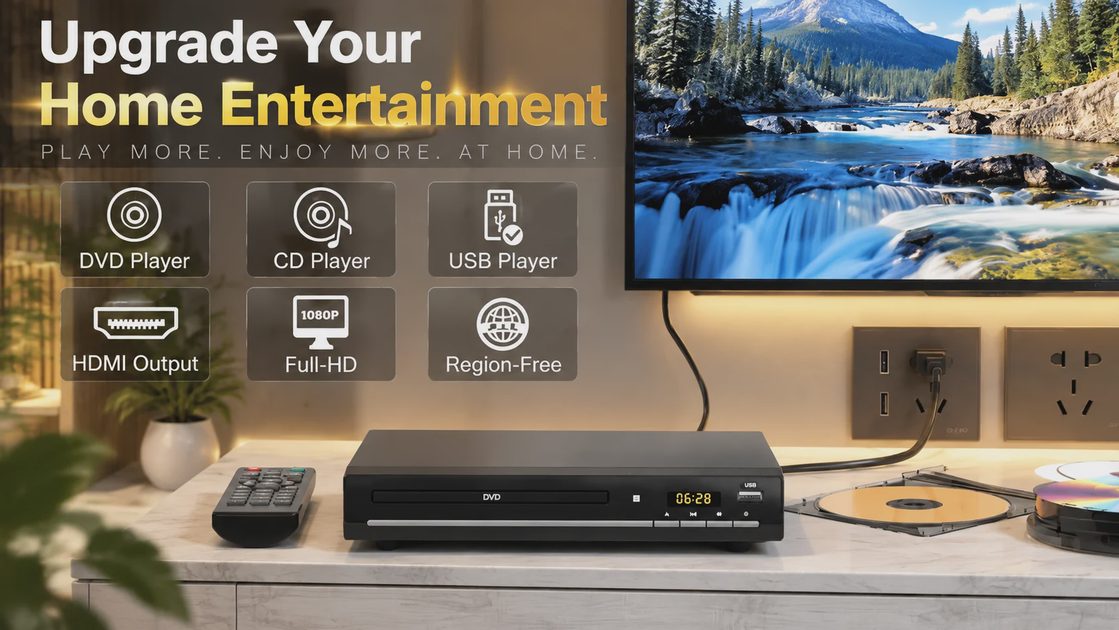
You probably have a box of DVDs somewhere. Maybe it's in the closet, maybe it's under the bed, maybe it's been sitting on a shelf untouched for five years because you stream everything now. But every so often you think about that box — and then you remember you don't own a DVD player anymore. Here's the thing: a simple, affordable DVD player with HDMI output might be the most underrated upgrade you can make to your TV setup. This particular model is a generic-brand unit — no household name on the chassis — but you can find it on Amazon by searching for "compact HDMI DVD player with all-region support" or looking up ASIN B0C4BDZRG6. At its current price — usually in the budget-player range — it costs less than a month of most streaming subscriptions, and it plays media you already own. No apps, no subscriptions, no firmware updates that break things. Just a disc in, picture out. Let me walk you through what actually matters when you're looking at a DVD player for TV use.
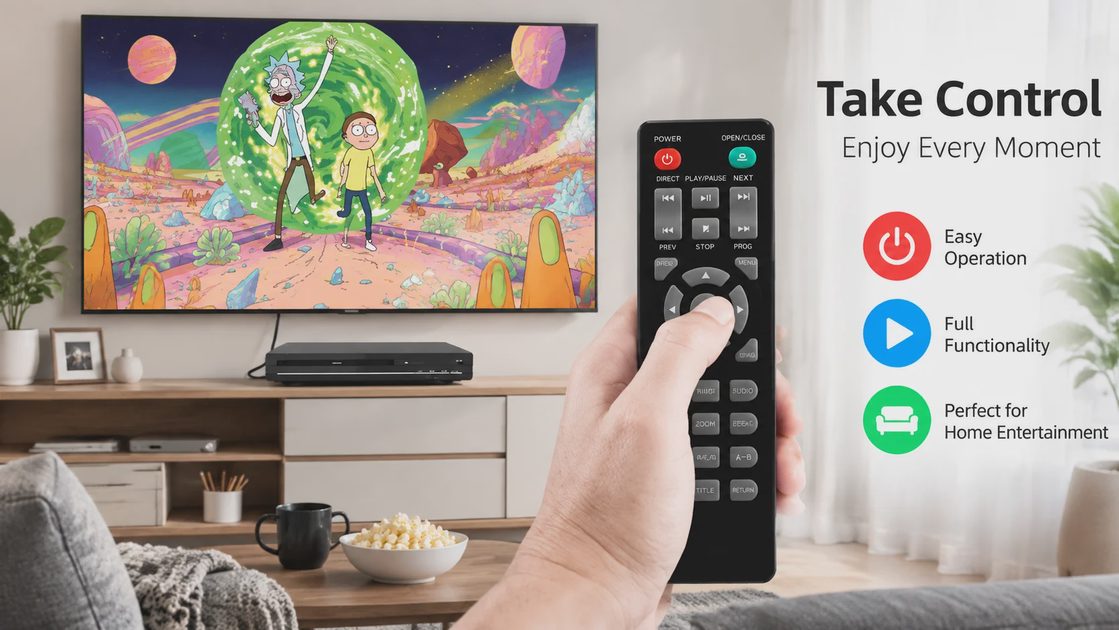
HDMI 1080p Output
Single cable carries both video and audio to any modern TV — no adapters needed.
All Regions
Plays DVDs from any country — no region locks, no error messages, no restrictions.
CD Compatible
Plays audio CDs too — one device handles both movies and music collections.
Why Physical Media Still Makes Sense
I know what you're thinking — "Miles, why are you writing about DVDs on an audio gear site?" Fair question. Here's my answer: the source component matters. Whether it's a turntable, a streaming DAC, or a disc player, what feeds your display and speakers determines what you actually see and hear. And for people who still have physical media collections — whether it's movies, concert DVDs, or music CDs — having a reliable dedicated DVD player beats trying to cobble together a solution from old hardware that's barely hanging on. A reliable DVD player for TV use solves that problem without any subscriptions.
Think about it this way: if you've got a stack of DVDs from the 90s and 2000s that you actually want to watch again, you need something that plays them. Your new smart TV doesn't have a disc tray. Your old DVD player died three years ago. And borrowing your neighbor's Blu-ray player feels like a hassle for a one-off movie night. A dedicated DVD player fills that gap — and if it has HDMI output, it connects to literally any modern TV with a single cable. No adapters, no component video cables, no guessing which input your TV is set to.
The signal chain here is straightforward: disc → player → HDMI cable → TV. That's it. No DAC conversion stages to worry about, no wireless handshakes to fail, no streaming bandwidth to negotiate. The player reads the disc, converts the MPEG-2 video to a 1080p signal over HDMI, and your TV handles the rest. Simple. Reliable. And for a lot of people, exactly what they need.
The One Connection That Changes Everything
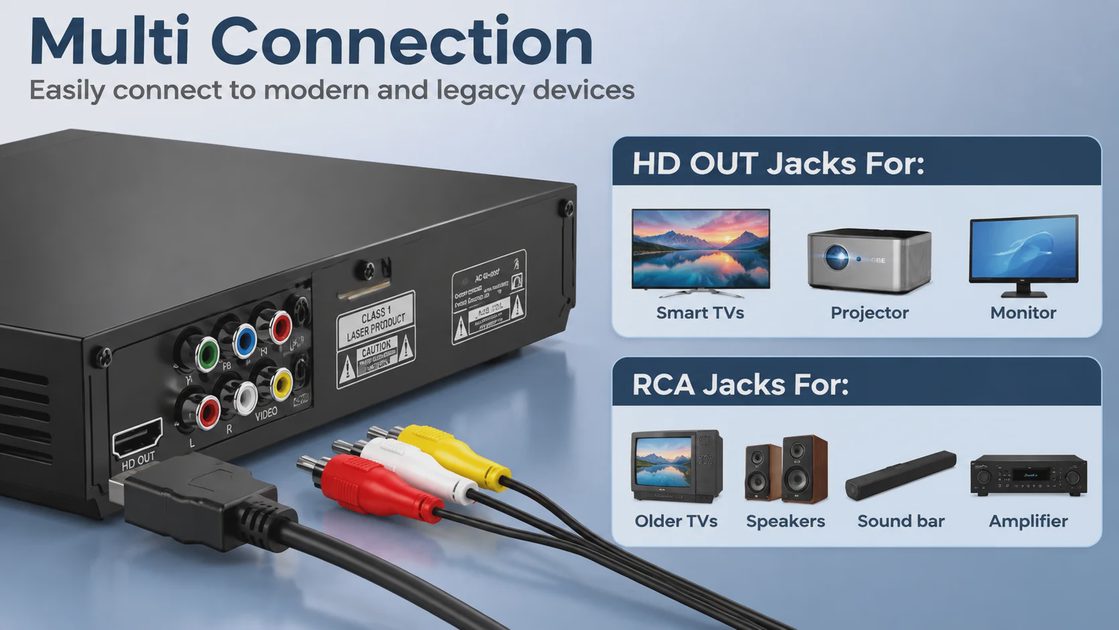
If you take away one thing from this article, let it be this: HDMI output is the feature that makes a modern DVD player worth buying. Here's why it matters so much. Old DVD players used composite video — that yellow RCA cable that carries a 480i signal and looks terrible on anything bigger than a 20-inch CRT. Component video was better (576p or 480p), but it required three separate cables and most new TVs don't even have component inputs anymore. HDMI, on the other hand, carries both video and audio in a single cable, supports up to 1080p resolution, and is present on every TV made in the last 15 years.
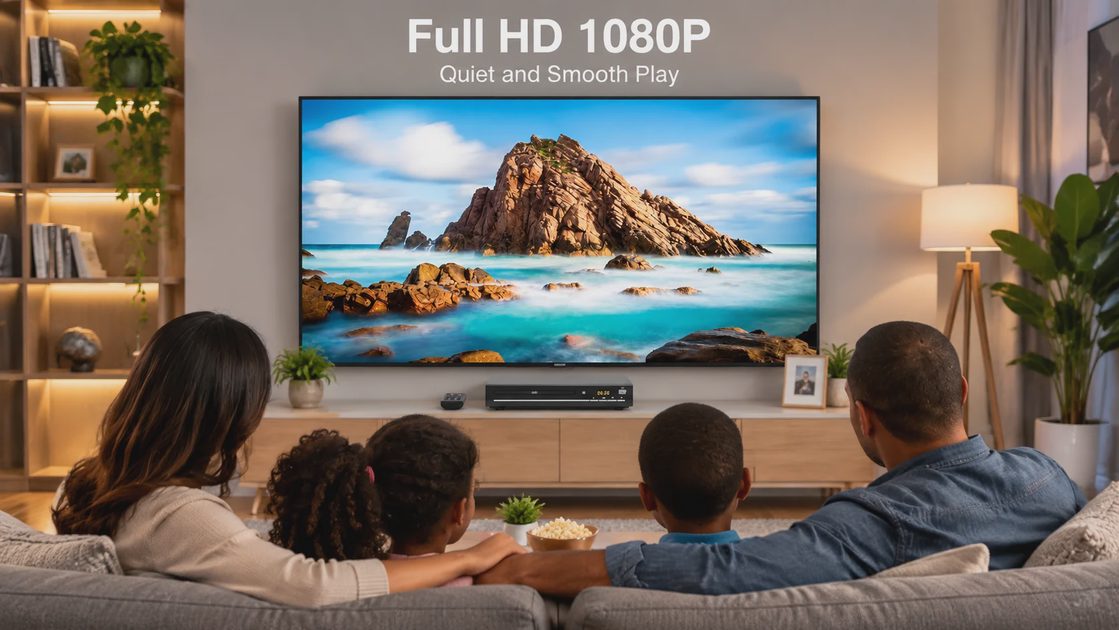
What does 1080p actually give you for DVD content? DVDs natively encode at 480p (720×480 for NTSC). A player with HDMI upscaling takes that 480p signal and scales it to 1920×1080 before sending it to your TV. The TV then displays it at its native resolution. The result is a cleaner, sharper picture than what you'd get from composite or component — not because the source material has more detail, but because the upscaling happens once in the player rather than letting the TV's often mediocre internal scaler handle it. For most people, the difference is noticeable: edges are cleaner, text on screen is more readable, and the overall image looks less "fuzzy" than you remember from the old days.
The audio side of HDMI is straightforward too. DVDs carry Dolby Digital 5.1 or DTS audio tracks, and HDMI passes that through to your TV or audio system without any conversion loss. If you're connecting directly to a TV's built-in speakers, you'll get stereo downmix automatically. If you've got a soundbar or receiver, the HDMI connection handles it all. One cable, video and audio, done. See the full connectivity options here.
What Comes in the Box Matters
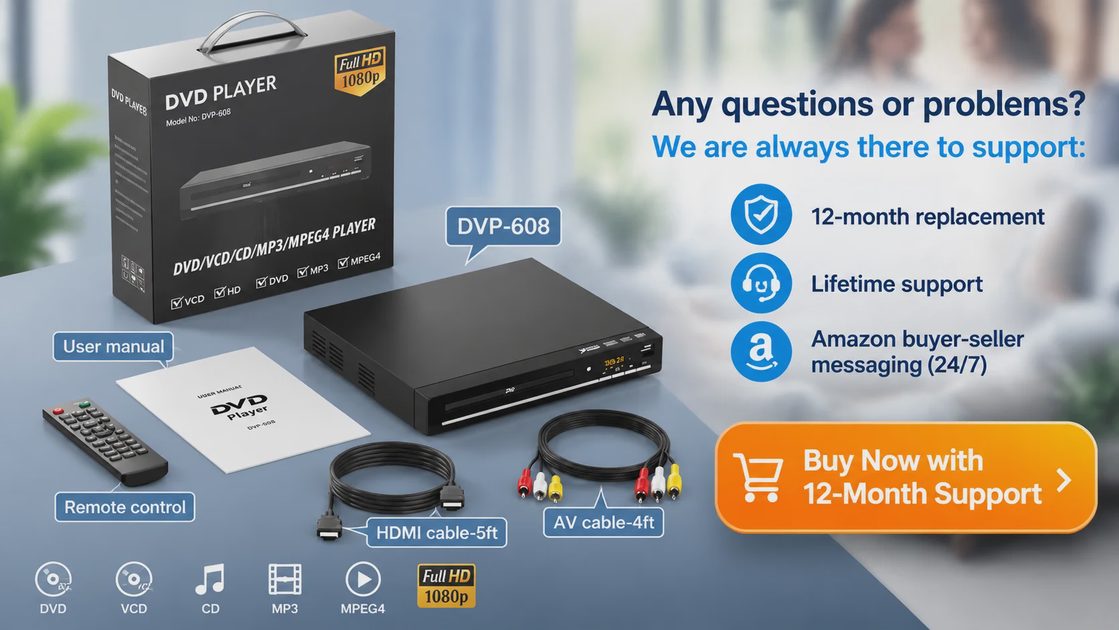
One thing that consistently annoys me about modern electronics is when you open the box and realize you need to buy extra cables. Not with this DVD player. It ships with both an HDMI cable and RCA composite cables, so whether you're connecting to a brand-new 4K TV or an older set that only has yellow-red-white inputs, you're covered out of the box. The remote and batteries are also included — no "batteries not included" surprises on Christmas morning.
The user manual is a 14-page booklet in English that covers setup, video settings, audio settings, and the scan/slow-motion functions. Nothing fancy, but it tells you what you need to know. One user noted that the remote is "really small" — and they're right, it's compact. But for a device that has basically three functions (play, stop, navigate menus), a massive remote would be overkill. It does what it needs to do.
I also want to mention that the player supports both composite and HDMI outputs simultaneously, which is handy if you want to run it to two displays or route audio separately. The left and right channel audio outputs are there too for connecting to older stereo systems. It's a thoughtful feature set for a device at this price point — the kind of thing that shows someone actually thought about how people use these in the real world.
| Spec | Detail |
|---|---|
| Media Format | DVD, CD (audio and data discs) |
| Video Output | 1080p via HDMI, 480p via composite |
| Audio Output | Stereo (HDMI and RCA) |
| Connectivity | HDMI, composite video (RCA), stereo audio out |
| Region Support | All regions (multi-region playback) |
| Playback Features | Scan, slow motion (forward/reverse), resume |
| Included Accessories | HDMI cable, RCA composite cables, remote, batteries, user manual |
| Warranty | 1 year |
All Regions: What It Actually Means
Quick geography lesson for anyone under 30: DVDs used to be region-locked. A disc bought in the US (Region 1) wouldn't play on a player bought in Europe (Region 2), and vice versa. It was the content industry's attempt at controlling distribution windows across markets. In practice, it meant that if you bought a DVD while traveling abroad, or ordered an import disc, it might not work on your home player.
This DVD player supports all regions, which means it plays DVDs from anywhere in the world without restriction. If you've got a Japanese anime box set, a British comedy series, or an Australian concert recording, they'll all play without any fuss. For a budget DVD player, all-region support is a genuinely useful feature that used to require firmware hacks or special "region-free" players that cost significantly more. Getting it as a standard feature at this price point is genuinely useful, especially if you collect discs from different countries or buy import titles that aren't available domestically.
One reviewer specifically called this out: "Plays other region's DVDs" — and while that might sound like a minor detail, it's actually a meaningful feature for anyone whose collection isn't purely Hollywood. Physical media collectors know the pain of finding a great disc only to discover it won't play on their setup. With multi-region support, that problem disappears.
What Real Users Are Saying
Reviews are consistently strong, though not perfect — which is exactly what you'd expect from a budget player. I always find it useful to look at what actual buyers say after living with a product for a few weeks. Here are some highlights from verified purchasers:
"Very easy to use, good picture quality, it's quiet and has multiple speeds. It's compact, easy to set up and actually looks good. I enjoy it a lot and so far its been reliable."
— Todd J. ★★★★★ Verified Purchase
"I bought this after finding a box of old DVDs from the 90s and 2000s that I was dying to watch again. I needed a simple DVD player that worked, and this one does. Five stars from me!"
— Fly208 ★★★★★ Verified Purchase
"It does not try to take over my TV or connect to WIFI or sell me anything or spy on me or try to teach me Yoga. It is simply a DVD Player. Power it on, switch TV to HDMI 3 and press start."
— Zenster ★★★★★ Verified Purchase
"The specifications shown in the manual for signal to noise ratio, distortion, dynamic range, and frequency response are as good as you will see on most other players. Overall, this is a fine player for the price."
— Ron ★★★★★ Verified Purchase
"CC works as it should, we are thrilled and this player is much quieter than the other 'cheap' players. For the money you can't go wrong, definitely recommend."
— New User ★★★★★ Verified Purchase
The pattern I'm seeing across these reviews is consistent: people bought this because they needed a simple, affordable DVD player, and it delivered on that promise. Nobody's claiming it's a high-end reference player. What they're saying is that it does exactly what it's supposed to do, it's quiet, it's reliable, and it doesn't try to be anything it's not. In my book, that's exactly what a good budget player should be. It's the same philosophy I apply when recommending budget earbuds — great value doesn't mean settling for junk. Discover what real users think.
The Quiet Stuff That Actually Matters
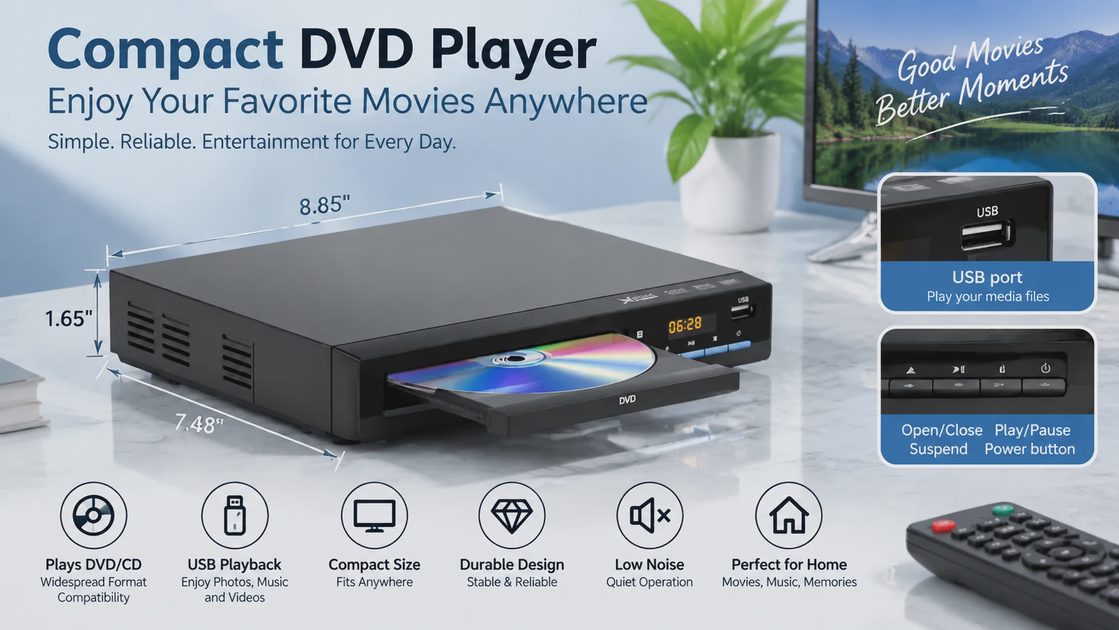
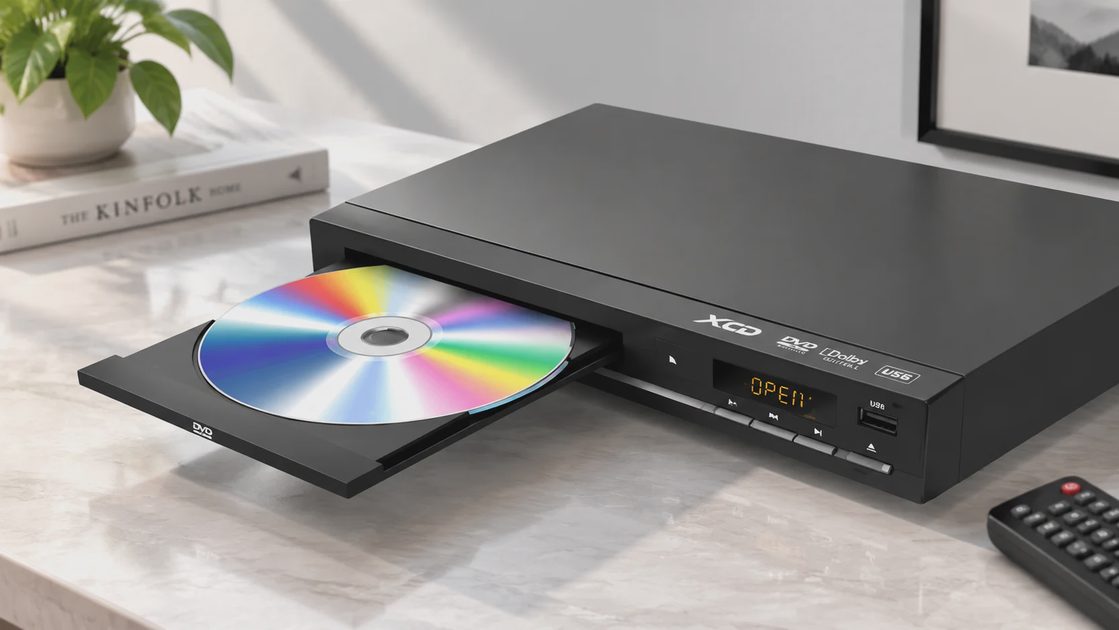
Noise. Let's talk about it. The disc tray mechanism makes a modest whir when loading and ejecting — completely normal for a tray-loading DVD player. During playback, the fanless design means the only sound you'll hear is the disc spinning, which is low enough that it won't interfere with quiet movie scenes. A well-built DVD player should disappear into your setup — you shouldn't notice it's there. Multiple reviewers specifically praised how quiet it is: "much quieter than the other cheap players," one user noted. Another said it's "very super quiet."
There's one exception worth mentioning: one user found it "a little noisy" and put it on a pad to dampen the vibration. This is likely a tolerance issue with the specific unit or the surface it was sitting on — a hard, resonant surface can amplify disc spin vibrations. If you notice this, a small rubber mat or felt pad underneath the player solves it instantly. It's not a design flaw; it's just physics. Spinning discs vibrate, and hard surfaces amplify that vibration.
A few other practical notes: the compact size means it fits easily on a shelf beneath a TV or in a media console with limited space. The player is not overly sensitive to scratched discs — one reviewer specifically noted this, which is important if your DVD collection has seen better days. The tray closes quickly when swapping discs, which one user flagged as slightly annoying, but it's a minor quirk that you'll adapt to after a few uses.
Ready to bring your DVD collection back to life?
See the full specs and what's included
Explore this DVD player →Frequently Asked Questions
What formats does this DVD player support?
This is a DVD/CD player only — it does not read Blu-ray discs. It plays standard pressed DVDs and audio CDs without issue. For burned media (DVD-R, DVD+R, CD-R, CD-RW), the product listing doesn't explicitly confirm support, but most modern DVD players handle burned discs. If you have a collection of home-burned discs, it's worth testing a few. Severely scratched or damaged discs may still skip — no player can fix a physically cracked disc.
Does the remote control my TV's volume?
No. The remote only controls the DVD player itself. The volume buttons adjust the player's audio output level, not your TV's volume. You'll use your TV remote or sound system remote for volume.
Can I use this with an old TV that doesn't have HDMI?
Yes. The player includes RCA composite cables (yellow for video, red and white for audio) that connect to older TVs with those inputs. You'll get standard definition picture quality through composite.
What happens if I play a disc from a different region?
Nothing — it just plays. This is a multi-region player, meaning it supports all DVD region codes out of the box. This is a built-in feature, not a hack or modification.
How does it handle scratched discs?
Better than you might expect. One reviewer noted it's "not overly sensitive to DVD scratches." Severely damaged discs will still skip, but for light scratches and normal wear, it handles them fine.
How long is the warranty?
One year. For a device at this price point, a one-year guarantee is standard and provides peace of mind against manufacturing defects.
Trust your ears. But measure first.
Discover what a simple, well-built DVD player can do for your setup
Discover more →Physical media isn't dead — it just needs the right hardware to shine. Whether you're revisiting a DVD collection or looking for a simple disc player that connects to any TV, a compact DVD player with HDMI output is one of those quiet upgrades that makes a real difference in daily use. If you're building out a simple home setup from pro-level thinking, a reliable source component like this fits right in.
Disclosure: This post contains affiliate links. If you purchase through these links, we may earn a small commission at no additional cost to you. We only recommend products we've researched and believe offer genuine value. All review quotes are from verified purchasers and have not been edited for meaning.



No notes yet — write the first one.